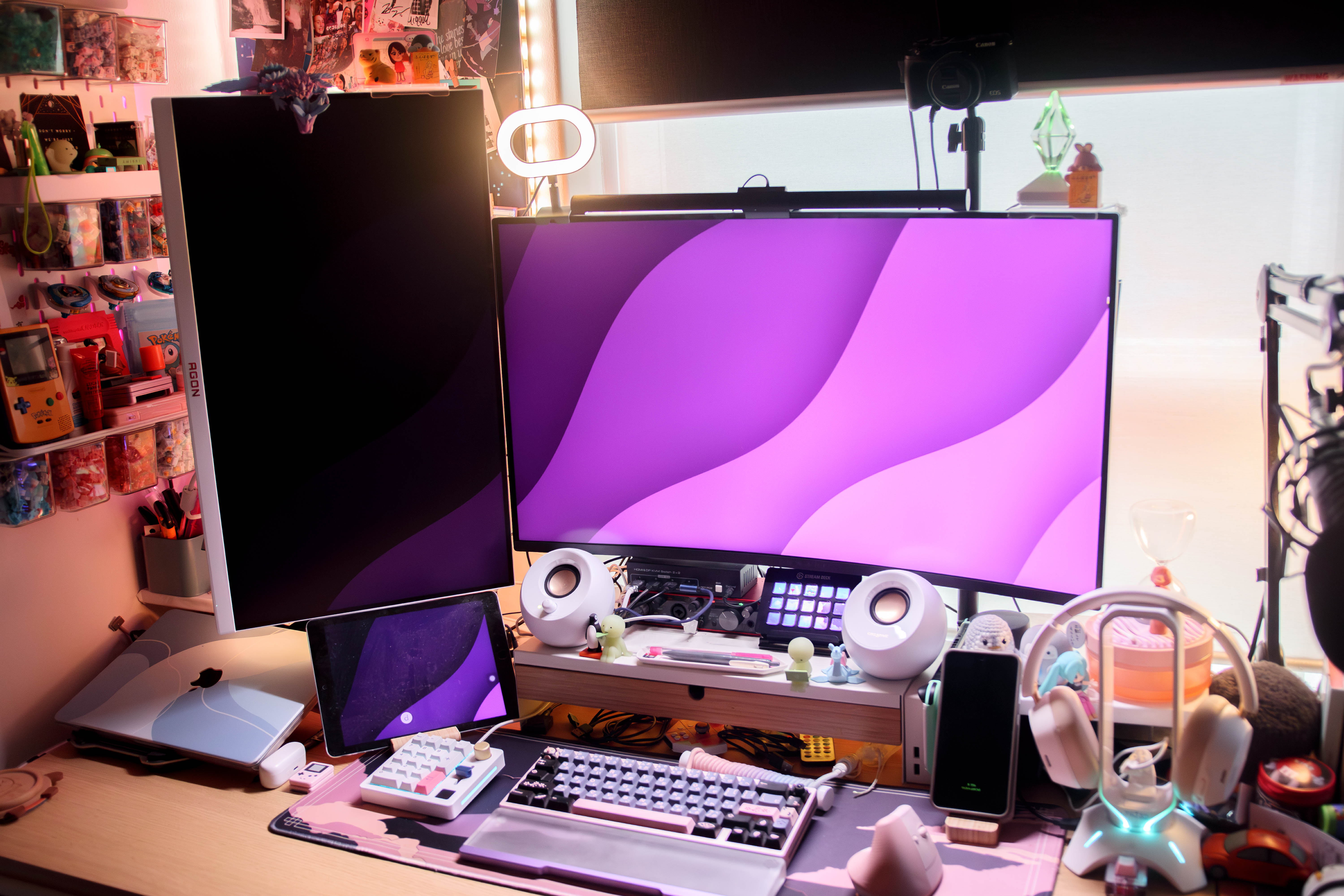
If you’re after an upgrade to your monitor, then the Alienware AW3226DM might be worth considering. This 32-inch 1440p curved gaming monitor features a 240 Hz refresh rate and AMD FreeSync Premium support, promising a premium gaming experience while still being suitable for previous-generation PC builds. But is it worth the high price tag?

First impressions, the Alienware AW3226DM is well packaged. The first layer contains the monitor stand, cables, power supply, and documentation, while the second layer houses the monitor itself. One thing to note is that the monitor is heavy, with an advertised weight of around 6-7 kg without the stand, so make sure your existing monitor arm can support it if you plan to use one. Thankfully, the Alienware AW3226DM supports VESA mounting and comes with the required screws, making installation straightforward.
The first thing that catches my attention is the power plug, as my review unit requires an adapter because it isn’t compatible with Australian power sockets. The other is the USB ports. Unlike most monitors, where they’re located alongside the display inputs at the rear, the Alienware AW3226DM places them underneath the display. This works well if you’re using the included stand, but if you’ve mounted it to a monitor arm, they’re a little awkward to use; thus, consider an angled USB adaptor for that clean look. There are also only two USB ports: one USB-A and one USB-C, so you’ll likely need a hub if you plan on connecting multiple peripherals.
The included stand is sturdy and well built. It features a built-in cable management hole, offers your basic height and tilt adjustment, and has a relatively flat base that doesn’t take up too much desk space. One accessory I particularly appreciate is the included USB Type-A to Type-B cable. At 1.8 metres long, it comfortably reaches my PC despite the extra distance created by my microphone arm and keyboard stand, without putting any strain on the cable. As for display connectivity, the Alienware AW3226DM includes two HDMI ports and one DisplayPort, which is more than enough for everyday use. There are no built-in speakers or a headphone jack, so you’ll need to rely on external speakers or headphones, which should not be an issue for most people by this point.

Now for the monitor itself. At 32 inches, it provides a much larger workspace than a standard 27-inch display without stepping into ultrawide territory. That extra screen space works well for both gaming and productivity, allowing multiple windows to sit side by side comfortably without dramatically changing how applications behave.
The first issue I encounter is that I occasionally have to manually wake the monitor when booting my PC, as it enters standby mode instead of automatically switching to my desktop. This might be because it either detects the HDMI connection from my console capture card first or could be related to my KVM-style setup. Since this behaviour doesn’t occur on my previous monitors, it adds an extra step whenever I turn on my computer. I suspect it’s caused by my desk configuration rather than the monitor itself. Even so, it’s still unexpected, considering none of my other monitors behaves this way.
Out of the box, the display looks good with Dolby Vision HDR. The colours look vibrant, but I can’t say the same for the contrast, and I find the image a bit more washed out than my previous monitor. The on-screen display doesn’t offer as much flexibility for adjusting colours and black levels as I would like, meaning I rely on Windows HDR Calibration to get closer to my preferred image. This is largely subjective, however, so your experience may differ. I also don’t experience any distracting glare during testing, even while using a monitor light bar.
If there’s one aspect that might throw buyers off, it’s the VA panel, which is the type of panel the Alienware AW3226DM has. Compared to my previous IPS monitor, I find the colours slightly less vibrant by default. While I don’t notice any significant ghosting or motion blur, I still prefer the sharper-looking colours and greater colour adjustment options offered by my IPS display. These differences are most noticeable when I’m writing, editing articles, or doing other productivity tasks. During gaming, however, the difference is far less noticeable.
Gaming performance remains consistently good throughout, and I don’t encounter any visual issues while playing. If you’re already comfortable with VA panels, this likely won’t be a dealbreaker. Interestingly, when playing Pokémon TCG Live on both displays, I can’t tell any difference between the Alienware AW3226DM and my previous IPS monitor. For less visually demanding games or if you focus more on the gameplay experience, the visual differences are much harder to notice.

Using an RTX 3060 Ti paired with a Ryzen 5 5600X, the games I test comfortably run above 60 FPS at 1440p. Baldur’s Gate 3, for example, averages between 70 and 90 FPS using the default graphics settings. Using an online UFO test, I don’t notice any signs of ghosting or any issues with high refresh rates. I wasn’t able to fully evaluate the monitor’s AMD FreeSync Premium features during my testing because of my current setup, so I can’t comment on its overall performance.
Productivity is a mixed experience. While the larger display makes multitasking easier, I find the curve takes some getting used to when working in content management systems, Microsoft Word, and other productivity applications because the slight curves can cause slight motion sickness. However, that’s likely a personal thing rather than an issue with the monitor itself. If you’re already used to curved displays, this probably won’t be a concern. As mentioned earlier, I find the colours, particularly whites, to look slightly less vibrant than on my IPS monitor, although I gradually get used to them over time.
Overall, the Alienware AW3226DM is a solid 32-inch 1440p curved gaming monitor that offers a smooth gaming experience, quality build, and useful accessories. While I can see it being an upgrade for many people, there are a few compromises, particularly with the VA panel and the limited USB connectivity. For me, it’s a capable gaming monitor. However, I would still need to purchase additional accessories to suit my desk setup, and I still can’t determine whether the standby behaviour is caused by the monitor itself or my desk configuration. If you’re a PC gamer looking for a large 240 Hz display and don’t mind a VA panel, it’s a worthwhile option. However, if colour accuracy or creative work is your priority, similarly priced IPS or OLED monitors may offer better value.
Rating 3/5
The Alienware AW3226DM is a large 240Hz curved monitor that’s the very definition of “you’re paying for the brand”. It performs well and could be a decent upgrade for those who want a new monitor. But it also has some drawbacks that could make other monitors in that price range more appealing.
Alienware Australia sent the AW3226DM for review and had no say or influence in this piece.




Leave a Reply